
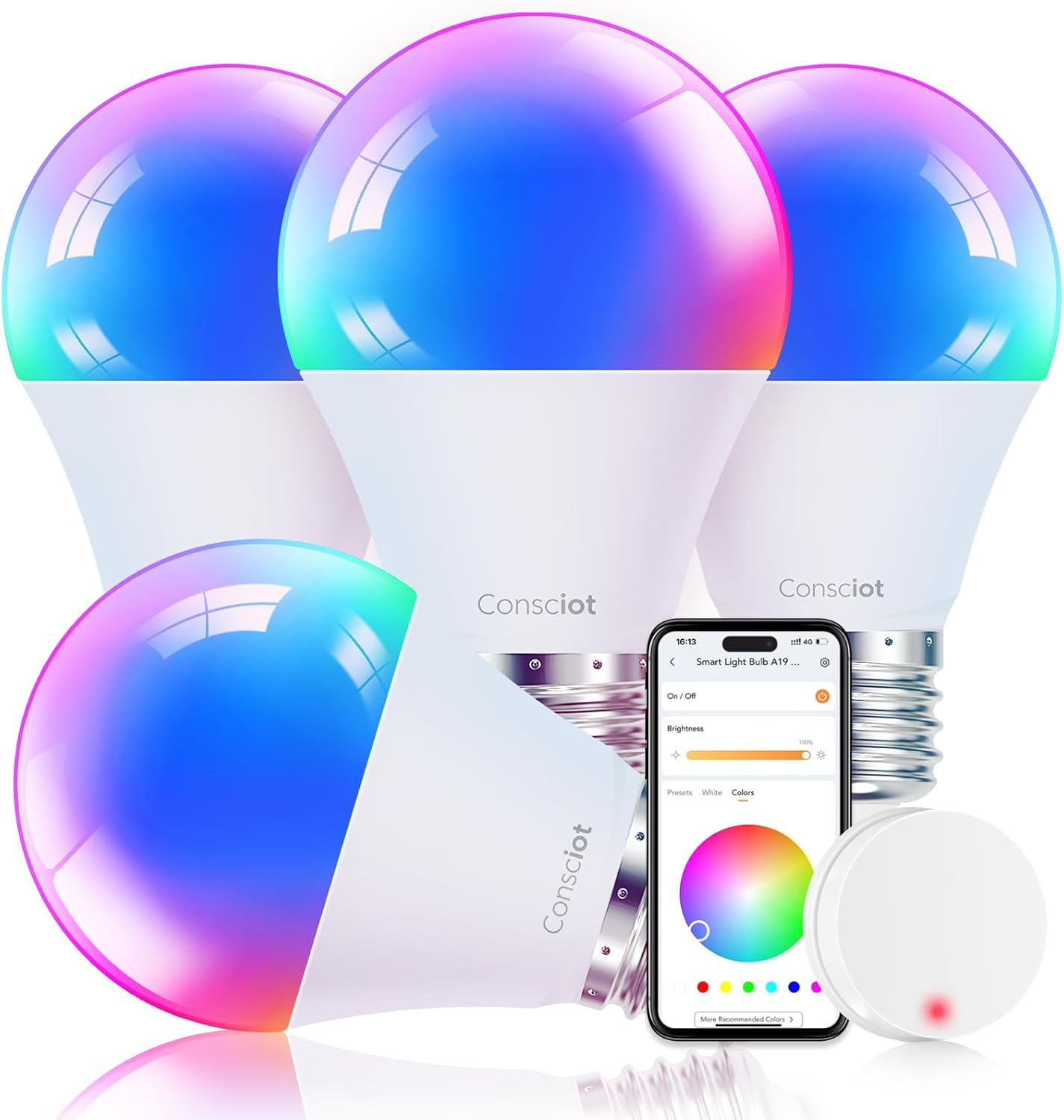
Imagine walking into your home after a long, tiring day. The lights are already on, casting a warm, inviting glow. You don’t have to fumble for a switch, you don’t have to lift a finger. You just utter a simple command, and your living room transforms into the perfect ambiance for relaxation, or perhaps a vibrant setting for entertaining guests. This isn’t a scene from a sci-fi movie; this is the reality offered by Google Home smart light bulbs.
In a world increasingly dominated by smart technology, our homes are becoming more connected, more intuitive, and frankly, a lot more convenient. Among the array of smart devices available, smart light bulbs stand out as one of the most accessible and impactful upgrades you can make. And when it comes to integrating them seamlessly into your life, Google Home is at the forefront, offering a powerful and user-friendly ecosystem.
But what exactly are Google Home smart light bulbs? How do they work? And more importantly, are they truly worth the investment? Buckle up, because we’re about to dive deep into the luminous world of smart lighting and uncover why these seemingly simple bulbs are poised to revolutionize the way you experience your home.
The Dawn of Illumination: What Exactly Are Google Home Smart Light Bulbs?
At their core, Google Home smart light bulbs are exactly what they sound like: light bulbs that you can control using your Google Home devices or the Google Home app. But the "smart" aspect is where the magic truly happens. These bulbs go far beyond the basic on-and-off function of traditional incandescent bulbs. They connect wirelessly to your home’s Wi-Fi network, allowing for a level of control and customization that was once unimaginable.
Think of them as the intelligent evolution of lighting. Instead of a physical switch, your voice becomes the conductor of your home’s illumination. Your smartphone or tablet becomes the remote control, offering a plethora of options at your fingertips.
The "Google Home" designation specifically refers to their compatibility and seamless integration with Google’s smart home ecosystem. This means they work flawlessly with Google Assistant-enabled devices like Google Nest Hubs, Google Nest Minis, and even your smartphone running the Google Assistant app. This unified approach is a key differentiator, making the setup and daily use incredibly intuitive.
Beyond the Glow: Unveiling the Astonishing Features
The allure of Google Home smart light bulbs isn’t just about convenience; it’s about the incredible features that empower you to tailor your home’s atmosphere to your every whim. Let’s explore some of the most compelling:
-
Voice Control: The Ultimate Hands-Free Experience: This is arguably the most talked-about feature. With a simple voice command like "Hey Google, turn on the living room lights" or "Hey Google, dim the bedroom lights to 30%," you can effortlessly control your lighting. This is particularly invaluable when your hands are full, you’re lounging on the couch, or even when you’re already tucked into bed.
-
Customizable Brightness and Dimming: Gone are the days of harsh, fixed lighting. Google Home smart bulbs allow you to precisely control the brightness of each bulb or a group of bulbs. Whether you need bright light for reading or a soft, ambient glow for movie nights, you can achieve the perfect level of illumination with ease.

A Spectrum of Colors: Unleash Your Inner Decorator: Many Google Home compatible smart bulbs offer a vast spectrum of colors. This opens up a world of creative possibilities. Want to set a festive mood for a holiday party? Choose vibrant reds and greens. Need a calming blue to help you unwind? You’ve got it. You can even set colored lighting to match the season, your mood, or the theme of an event.
-
Scheduling and Routines: Automate Your Life: This is where smart lighting truly shines in terms of efficiency and convenience. You can schedule your lights to turn on and off at specific times. Imagine waking up to gradually brightening lights that simulate a natural sunrise, or having your porch lights automatically turn on at dusk and off at dawn. Furthermore, you can integrate them into Google Home Routines. A "Good Morning" routine could turn on your kitchen lights, start your coffee maker (if it’s also a smart device), and tell you the weather. A "Movie Night" routine could dim the living room lights and close your smart blinds.
-
Remote Access: Control From Anywhere: Even when you’re not at home, you can control your smart lights via the Google Home app on your smartphone or tablet. Forgot to turn off the lights in the spare bedroom? No problem. Want to turn on the porch light before you arrive home on a dark evening? You can do that too. This adds an extra layer of security and peace of mind.
-
Grouping and Zones: Effortless Management: You can group multiple bulbs together to control them as a single unit. For example, you can group all the lights in your living room and turn them all on or off with one command. You can also create custom zones, allowing for more granular control over different areas of your home.
-
Energy Efficiency: Many smart bulbs, especially LED models, are significantly more energy-efficient than traditional incandescent bulbs. Combined with the ability to dim and schedule them, this can lead to noticeable savings on your electricity bills.
The Seamless Integration: How Google Home Elevates Smart Lighting
The true power of Google Home smart light bulbs lies in their effortless integration with the Google Home ecosystem. This isn’t just about making them work; it’s about making them work beautifully together.
-
Google Assistant: Your Central Command Center: Google Assistant is the intelligent voice assistant that powers your Google Home devices. It’s the friendly, conversational interface that allows you to control your lights, and indeed, your entire smart home, with natural language commands. The more you use it, the more it learns your preferences and anticipates your needs.
-
The Google Home App: Your Visual Control Panel: The Google Home app on your smartphone or tablet provides a comprehensive and intuitive interface for managing your smart lights. From here, you can turn lights on/off, adjust brightness, change colors, set schedules, create routines, and monitor the status of your bulbs from anywhere in the world.
-
Interoperability and Expansion: The Google Home ecosystem is designed to be open and expandable. This means that a wide range of smart light bulb brands are compatible with Google Home. While some brands like Philips Hue and LIFX are popular choices, many other manufacturers offer bulbs that seamlessly integrate. This gives you a great deal of flexibility in choosing the bulbs that best suit your needs and budget.
-
Beyond Lighting: Unified Smart Home Control: The beauty of Google Home is that your smart lights are just one piece of a larger puzzle. They can work in conjunction with other smart devices in your home. Imagine a routine where your lights dim, your smart thermostat adjusts the temperature, and your smart TV turns on, all with a single voice command. This creates a truly connected and intelligent living experience.
Are They Worth It? The Unforeseen Benefits That Will Surprise You
The question inevitably arises: are Google Home smart light bulbs a worthwhile investment? While the initial cost might be higher than a standard light bulb, the long-term benefits and the sheer enhancement to your quality of life make a compelling case.
-
Unparalleled Convenience: The sheer ease of controlling your lighting with your voice or a tap on your phone is a game-changer. It simplifies daily tasks and adds a touch of luxury to your home.
-
Enhanced Ambiance and Mood: The ability to customize brightness and color allows you to create the perfect atmosphere for any occasion. From a cozy evening in to a lively gathering, your lighting can set the tone.
-
Increased Security: The remote access feature allows you to make it appear as though someone is home, even when you’re away. You can also set lights to turn on automatically at dusk, deterring potential intruders.
-
Energy Savings: As mentioned, the energy efficiency of LED smart bulbs, coupled with smart dimming and scheduling, can lead to tangible savings on your electricity bills over time.
-
Improved Sleep and Well-being: The ability to simulate natural light cycles with gradual brightening and dimming can positively impact your sleep patterns and overall well-being.
-
Fun and Creative Expression: For those who enjoy personalizing their living spaces, the color-changing capabilities offer a fantastic avenue for creative expression and adding a unique flair to your home.
Making the Switch: A Simple Path to a Smarter Home
Transitioning to Google Home smart light bulbs is surprisingly straightforward. Most bulbs simply screw into existing light fixtures just like traditional bulbs. The setup process typically involves:
- Downloading the Google Home app and setting up your Google Home device.
- Downloading the app specific to your smart bulb brand (if required) and following its pairing instructions.
- Linking your smart bulb account to your Google Home account within the Google Home app.
- Assigning your bulbs to specific rooms for easier control.
And just like that, you’re on your way to experiencing the future of home illumination!
The Final Verdict: Illuminate Your Life with Intelligence
In conclusion, Google Home smart light bulbs are more than just a technological novelty; they are an investment in convenience, comfort, security, and efficiency. They transform a mundane aspect of our lives – lighting – into an intelligent, adaptable, and personalized experience.
If you’re looking to elevate your home, simplify your daily routines, and embrace the future of smart living, then upgrading to Google Home compatible smart light bulbs is a decision you won’t regret. Forget fumbling for switches in the dark. Forget dull, uninspired lighting. It’s time to step into a brighter, smarter, and more connected future. Your home will thank you, and you’ll wonder how you ever lived without them.



Leave a Comment
You must be logged in to post a comment.