
You’ve done it. You’ve succumbed to the siren song of the smart home. Lights that dim with your voice, thermostats that anticipate your return, speakers that play your favorite tunes on command – it’s a digital utopia. But let’s be honest, for all its convenience, managing a growing ecosystem of smart devices can quickly become… a digital headache. Juggling multiple apps, remembering obscure voice commands, and the sheer mental overhead of coordinating it all can leave you feeling less like a futuristic homeowner and more like a stressed-out IT manager.
What if I told you there’s a single, unassuming device that can bring order to this digital anarchy? A tiny titan that, with a simple press, can orchestrate your entire smart home symphony? Forget complex routines, forget memorizing endless commands. I’m talking about the Smart Home Button, and it’s about to become your new best friend.
The Silent Revolution: Why Your Smart Home Needs a "Dumb" Button
In the age of AI and voice assistants, the idea of a simple button might seem archaic, almost insulting. But that’s precisely where its genius lies. Voice commands are fantastic, but they have their limitations. What about when your hands are full? What about when you’re in a meeting and can’t afford to have your smart speaker suddenly announce your grocery list? What about when the internet is down, and your voice assistant is rendered mute?
The smart home button, on the other hand, is gloriously, wonderfully reliable. It’s a physical, tangible command center that bypasses the need for spoken word or internet connectivity for basic functions. It’s the ultimate fallback, the invisible hand that keeps your smart home running smoothly, even when the digital world stutters.
Think of it as the “undo” button for your smart home, or perhaps the “master switch” for your sanity. It’s the silent revolution happening on your countertop, your bedside table, or even your keychain.
Beyond the Basic: Unlocking the True Power of a Smart Home Button
The beauty of a smart home button lies in its programmability. This isn’t just a simple on/off switch. Depending on the model and the platform you’re using, a single button can be programmed to perform a multitude of actions, often triggered by different types of presses.
Single Press: This is your go-to for everyday tasks. Imagine pressing a button by your front door to:
- "Welcome Home" Mode: Turn on entryway lights, adjust the thermostat to your preferred temperature, and play a relaxing playlist.
- "Movie Night" Mode: Dim the living room lights, close the smart blinds, and turn on your smart TV and soundbar.
- "Goodnight" Mode: Turn off all lights, lock the doors, set the alarm, and adjust the thermostat for sleep.
Double Press: This is where you can add another layer of control for slightly less frequent, but equally useful, actions:
- "Away" Mode: Turn off all lights, lock all doors, arm your security system, and set the thermostat to an energy-saving mode.
- "Morning Wake-Up" Assist: Gradually turn on bedroom lights, start your smart coffee maker, and play the morning news.
- "Panic" Button: In a true emergency, a quick double-press could trigger an alert to your emergency contacts or security service, and turn on all the lights in your house.
/cdn.vox-cdn.com/uploads/chorus_asset/file/24915828/content_block_img_01.jpg "The Single Button That Will Obliterate Your Smart Home Chaos (And Make You a Genius)")
Long Press: This is ideal for more deliberate or complex actions that you might not want to trigger accidentally:
- "Party Mode": Set the mood with dynamic lighting, play upbeat music, and unlock specific smart locks for guests.
- "Deep Clean" Mode: Turn on all the lights in your home, activate smart vacuum cleaners in designated areas, and play some energizing music.
- "Custom Scene Activation": This is where your imagination takes flight. Maybe a long press activates a personalized scene you’ve created that involves multiple devices and settings.
The Smart Home Button Ecosystem: A World of Possibilities
The effectiveness of a smart home button is inextricably linked to the ecosystem it integrates with. While some buttons are proprietary to specific brands (like Philips Hue dimmer switches), the real magic happens with universal smart home buttons that can communicate with a wide range of devices and platforms.
Popular Platforms and Their Button Solutions:
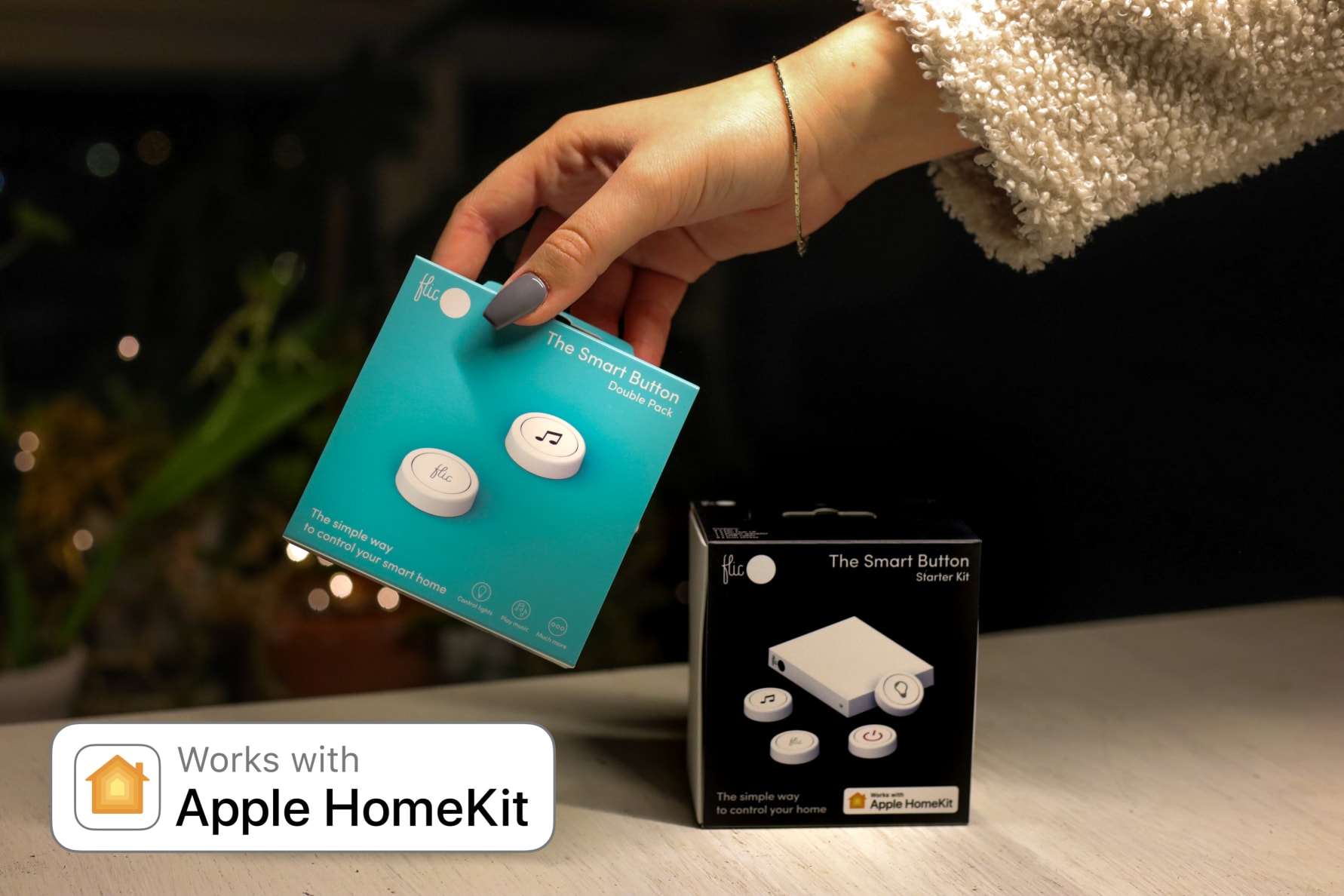
- Apple HomeKit: Devices like the Aqara Wireless Mini Switch are fantastic for HomeKit users. They are small, affordable, and can be programmed to trigger HomeKit scenes with single, double, and long presses. The beauty of HomeKit is its local processing, meaning your button commands can still work even if your internet connection is spotty.
- Amazon Alexa: While Alexa relies heavily on voice, you can integrate smart buttons that work with Alexa through platforms like SmartThings or IFTTT (If This Then That). You can also find dedicated Alexa-compatible buttons that can trigger specific Alexa routines.
- Google Home: Similar to Alexa, Google Home integration often relies on third-party hubs or services. However, the growing popularity of Matter (a new smart home standard) is making cross-platform compatibility much easier, and we can expect to see more Google-integrated button solutions emerge.
- Samsung SmartThings: SmartThings is a powerful hub that acts as a bridge for many different smart devices. It offers excellent support for a variety of smart buttons, allowing you to create sophisticated automations that span across different brands.
- IFTTT (If This Then That): This is a game-changer for interoperability. If you have a smart button that can connect to IFTTT (many Zigbee or Z-Wave buttons can), you can create applets that link your button presses to almost any online service or smart device, even those not directly compatible with each other.
Types of Smart Home Buttons:
- Wireless Mini Switches: These are typically small, battery-powered buttons that can be mounted on walls, placed on surfaces, or even attached to keychains. They are the most versatile and popular option.
- Smart Dimmers/Switches: While primarily designed to control lights, some smart dimmer switches also incorporate programmable buttons for additional functions.
- Key Fobs: These are designed for portability, allowing you to control your smart home from your car or while on the go.
The Clickbait Reason You Need This Button NOW (And It’s Not What You Think)
Okay, I promised clickbait, and while the real benefits are profound, let’s indulge for a moment. Imagine this: You’re hosting a party, and your guests are fumbling with your smart lock, trying to figure out how to get in. Embarrassing, right? With a simple, discreet button near the entrance, you can instantly unlock the door for them with a single press. BOOM! Instant cool host points.
Or, picture this: It’s 3 AM, and you hear a strange noise outside. Instead of fumbling for your phone, opening an app, and trying to remember the voice command to turn on the security lights, you simply reach over and press that trusty smart button. FLASH! Your entire property is illuminated, and whatever was lurking in the shadows is now clearly visible. PEACE OF MIND DELIVERED IN A SINGLE CLICK.
But the real, non-clickbait reason you need this button is for simplicity and accessibility. In a world that’s increasingly complex, the smart home button is a beacon of uncomplicated control. It’s a way to democratize your smart home, making it accessible and user-friendly for everyone in your household, from tech-savvy teenagers to grandparents who might be intimidated by voice commands.
Setting Up Your Smart Home Button: Easier Than You Think
The setup process for most smart home buttons is surprisingly straightforward. While it can vary slightly depending on the brand and your smart home hub, here’s a general overview:
- Choose Your Button: Select a button that is compatible with your existing smart home ecosystem (HomeKit, Alexa, SmartThings, etc.).
- Install the App/Hub: Ensure you have the necessary app or smart home hub installed and configured.
- Pair the Button: Follow the instructions in your app to pair the button with your hub or system. This usually involves pressing a button on the device or a specific sequence.
- Program Your Actions: This is the fun part! Within your smart home app, you’ll be able to assign specific actions to single, double, and long presses of your button. You can trigger existing scenes, control individual devices, or create new automations.
- Placement is Key: Think about where you’ll use the button most frequently and mount it accordingly. Consider placing one near your bedside, by your main entrance, or in your living room.
The Future is Button-Powered (Sort Of)
As smart home technology continues to evolve, the role of the smart home button will only become more critical. With the rise of Matter, we can expect even greater interoperability, allowing a single button to control devices from a multitude of manufacturers seamlessly. The focus will shift from proprietary ecosystems to a more unified and user-friendly experience.
The smart home button isn’t just a gadget; it’s a fundamental piece of the puzzle that brings true convenience and control to your connected life. It’s the unsung hero that simplifies your digital world, making your smart home work for you, not the other way around.
So, are you ready to obliterate your smart home chaos and become a genuine smart home genius? The answer, my friend, is a single, satisfying click away.



Leave a Comment
You must be logged in to post a comment.