
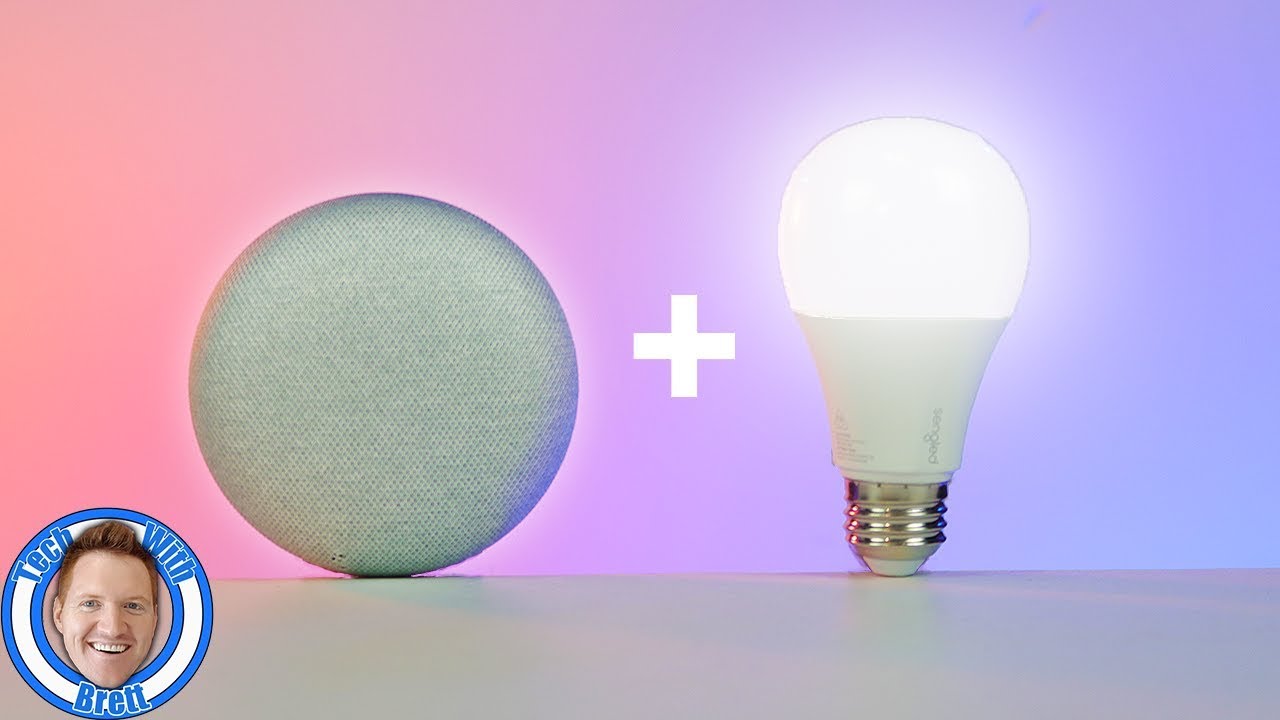
Imagine this: you walk into a room, and the lights instantly adjust to your mood. You’re settling in for a movie night, and with a simple voice command, the lights dim to the perfect ambiance. Or perhaps you’re hosting a party, and a vibrant, dynamic lighting scheme comes to life, all without you lifting a finger. This isn’t science fiction; this is the reality of Google Home Smart Lights, and if you’re still fumbling with manual switches, you’re missing out on a revolution in home convenience and atmosphere.
For too long, lighting has been a passive element in our homes, a functional necessity we barely give a second thought to. But in the age of smart technology, our lights are evolving. They’re becoming intelligent, responsive, and an integral part of creating the living space you’ve always dreamed of. And at the forefront of this luminous evolution stands Google Home, the central hub that orchestrates an entire ecosystem of smart devices, with its smart lights being a particularly dazzling and accessible entry point.
This isn’t just about turning lights on and off with your voice. It’s about unlocking a new level of control, personalization, and even energy efficiency. It’s about transforming your house into a truly smart home, one where every corner can be bathed in light that perfectly suits the moment. So, buckle up, because we’re about to dive deep into the enchanting world of Google Home Smart Lights and reveal why you should be ditching those old-school bulbs faster than you can say "Hey Google, turn on the living room lights!"
Why Google Home Smart Lights Are the Future (And Why You Need Them NOW!)
The term "smart lights" can sound a bit intimidating, conjuring images of complex wiring and tech-savvy installations. But the beauty of Google Home Smart Lights lies in their simplicity and seamless integration. They’re designed to be user-friendly, empowering anyone to elevate their home’s lighting experience.
Here’s why making the switch is a no-brainer:
-
Unparalleled Convenience: The Power of Your Voice (and a Tap!)
This is arguably the most significant draw. With Google Assistant at your command, you can control your lights from anywhere in your home. "Hey Google, turn off the bedroom light." "Hey Google, dim the kitchen lights to 50%." "Hey Google, set the living room to ‘movie mode’." The possibilities are endless, and the sheer convenience of not having to get up or fumble for a switch is incredibly liberating.But it’s not just about voice. The Google Home app provides an intuitive interface to manage all your smart lights. You can group lights by room, create custom scenes, schedule routines, and even control them remotely when you’re away from home. This level of control offers a tangible improvement to your daily life, making mundane tasks effortless.
-
Ambiance on Demand: Paint Your Home with Light
Forget the harsh, one-size-fits-all illumination of traditional bulbs. Smart lights offer a spectrum of possibilities. Many Google Home compatible lights allow you to adjust not only the brightness but also the color temperature – from warm, cozy whites perfect for winding down, to cool, crisp whites that energize your workspace.Even more exciting are the RGB (Red, Green, Blue) color-changing bulbs. Imagine setting a vibrant blue for a cyberpunk-themed party, a soft pink for a romantic dinner, or a cheerful yellow to combat a dreary day. You can create dynamic lighting effects, sync lights with music, and personalize every room to reflect your mood, the occasion, or even the season. This ability to truly curate the atmosphere of your home is a game-changer for interior design and personal expression.
-
Energy Efficiency: Save Money and the Planet
Smart lights, especially LED-based ones, are inherently more energy-efficient than their incandescent predecessors. But Google Home takes this a step further. You can schedule lights to turn off automatically when not in use, preventing energy waste. The ability to dim lights also means you’re only using the amount of light you need, further reducing consumption.Furthermore, features like "away mode" can simulate occupancy by turning lights on and off randomly, adding a layer of security while also conserving energy when you’re not home. Over time, these energy savings can translate into a noticeable reduction in your electricity bills, making smart lights a smart investment for your wallet and the environment.
-
Enhanced Security and Peace of Mind
Smart lights can be a powerful tool for home security. You can schedule lights to turn on and off remotely while you’re on vacation, making it appear as though someone is home. This deters potential intruders and provides invaluable peace of mind.Moreover, integrating your smart lights with other security devices, like motion sensors, allows for automated responses. For instance, if a motion sensor detects activity outside your home at night, your porch lights could automatically illuminate, acting as a deterrent and providing visibility.
-
Seamless Integration with the Google Ecosystem
The true magic of Google Home Smart Lights lies in their ability to work harmoniously with the broader Google ecosystem. If you already own a Google Nest Hub, a Google Pixel phone, or use Google Assistant regularly, adding smart lights is a natural extension of your smart home setup.You can create intricate routines that involve more than just lighting. Imagine a "Good Morning" routine that gradually brightens your bedroom lights, starts your favorite news podcast on your Google Nest speaker, and even adjusts your smart thermostat. The possibilities for automating your daily life are vast and ever-expanding.
Choosing Your Perfect Google Home Smart Lights: A Buyer’s Guide
The market for smart lights is booming, and with Google Home compatibility, your options are even broader. Here’s what to consider when making your selection:
-
Brands You Can Trust:
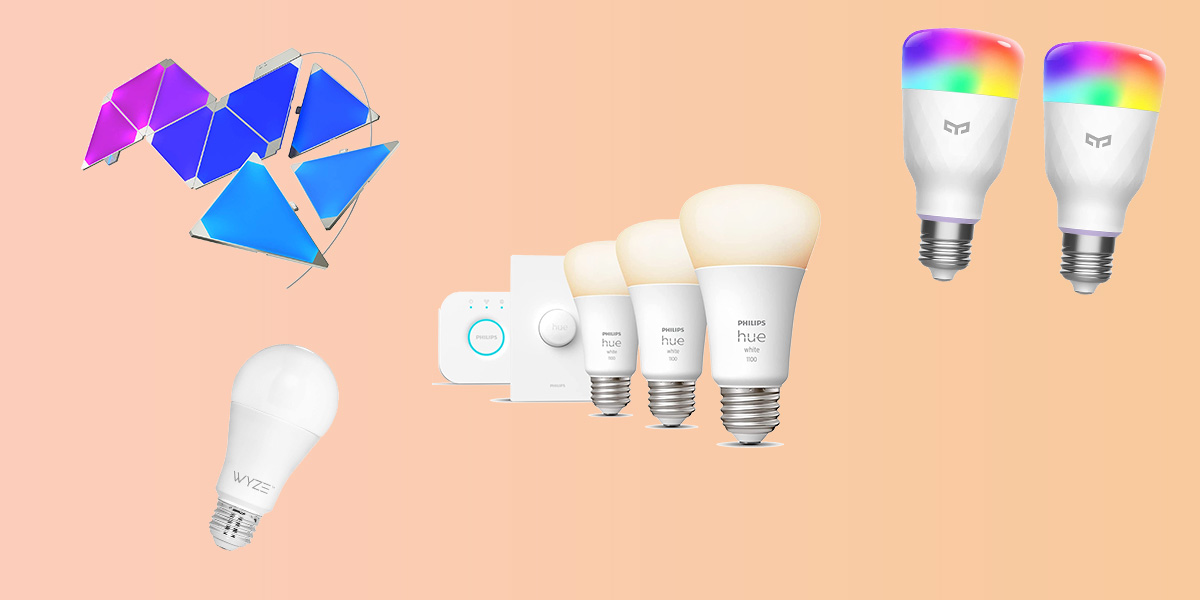
Several reputable brands offer Google Home compatible smart lights. Some of the most popular include:- Philips Hue: Often considered the gold standard, Philips Hue offers a vast range of bulbs, strips, and fixtures with exceptional color quality and a robust app.
- LIFX: Known for its vibrant colors and Wi-Fi connectivity (meaning no hub is required for many of their products), LIFX is another excellent choice.
- TP-Link Kasa: A more budget-friendly option that still delivers reliable performance and seamless Google Assistant integration.
- Wyze: Offers incredibly affordable smart bulbs that pack a punch in terms of features and compatibility.
- Govee: Particularly popular for their RGBIC technology that allows for multiple colors on a single strip, creating stunning gradient effects.
-
Bulb Types:
Smart lights come in various forms to suit different fixtures:- Standard Bulbs (A19, BR30, etc.): These are direct replacements for your existing light bulbs in lamps, ceiling fixtures, and sconces.
- Light Strips: Flexible LED strips that can be placed behind furniture, under cabinets, or along walls to create accent lighting and unique effects.
- Smart Plugs: While not technically lights themselves, smart plugs allow you to control any "dumb" lamp or light fixture by turning its power on and off remotely.
- Specialty Fixtures: Some brands offer smart light bulbs integrated into more complex fixtures like downlights or even smart lamps.
-
Color vs. White:
- Color-Changing (RGB): These bulbs offer the full spectrum of colors, allowing for maximum creativity and ambiance. They are generally more expensive.
- Tunable White: These bulbs allow you to adjust the color temperature of white light, from warm yellow to cool blue. This is a great option if you don’t need a full spectrum of colors but want to customize your white light.
- Dimmable White: The most basic smart white bulbs offer only brightness control.
-
Connectivity:
- Wi-Fi: Many smart lights connect directly to your home’s Wi-Fi network, eliminating the need for a separate hub.
- Zigbee/Z-Wave (Hub Required): Some systems, like Philips Hue, utilize Zigbee or Z-Wave protocols, which require a dedicated hub to communicate with your network and Google Home. While this adds an extra device, it can offer a more stable and responsive network for a larger number of lights.
Setting Up Your Google Home Smart Lights: Easier Than You Think!
The setup process for most Google Home Smart Lights is remarkably straightforward:
- Install the Bulb: Screw in your smart bulb or plug in your smart light strip as you would with a traditional fixture.
- Download the Manufacturer’s App: Most smart lights require you to use their dedicated app for the initial setup and configuration. Follow the in-app instructions to connect your lights to your Wi-Fi network.
- Link to Google Home: Open your Google Home app. Tap the "+" icon to "Add device." Select "Works with Google" and search for the brand of your smart lights. Follow the prompts to link your accounts.
- Assign to Rooms and Assign Names: Once linked, you can assign your lights to specific rooms within the Google Home app (e.g., "Living Room," "Bedroom"). Give them clear, easy-to-remember names (e.g., "Sofa Lamp," "Desk Light"). This will be crucial for voice commands.
- Start Controlling! You’re now ready to use voice commands with Google Assistant or control your lights through the Google Home app.
Beyond the Basics: Advanced Features and Creative Uses
Once you’ve mastered the basics, the world of Google Home Smart Lights opens up to even more exciting possibilities:
- Custom Scenes: Create personalized lighting settings for specific activities. For example, a "Reading Mode" might set your desk lamp to a bright, focused white, while your ambient room lights dim. A "Relaxation Mode" could dim everything to a warm, soft glow.
- Routines: Integrate your lights into broader Google Assistant routines. Trigger a "Good Night" routine that turns off all lights, locks your smart doors, and sets your alarm.
- Geofencing: Set your lights to turn on or off automatically when you arrive at or leave your home based on your phone’s location.
- Sync with Music and Movies: Some smart lights can sync with the audio or visual output of your TV or music system, creating an immersive entertainment experience.
- Holiday Theming: Easily transform your home for holidays with custom color schemes – think spooky reds and oranges for Halloween, or festive greens and reds for Christmas.
The Future is Bright: Why You Should Embrace the Smart Light Revolution
In conclusion, Google Home Smart Lights are more than just a gadget; they are an investment in convenience, ambiance, energy efficiency, and enhanced security. They transform a mundane aspect of our homes into a dynamic, responsive, and personalized experience.
If you’re still relying on the flick of a switch, you’re living in the past. The future of home lighting is here, and it’s controlled by your voice, your phone, and your imagination. So, why wait? Unlock the magic, ditch those old-school bulbs, and step into a brighter, smarter future with Google Home Smart Lights. Your home, and your wallet, will thank you.


Leave a Comment
You must be logged in to post a comment.